

MyGLS delivery
Quick summary: Select GLS on a delivery method, enter the credentials, and define a pricing rule for every destination country.
Configure the carrier
Section titled “Configure the carrier”- Open Inventory > Configuration > Delivery Methods and click New.
- Enter the public name and select GLS as the provider.
- Under GLS Configuration, enter the username, password, client number, label format, and default package type.
- For Slovenia, use
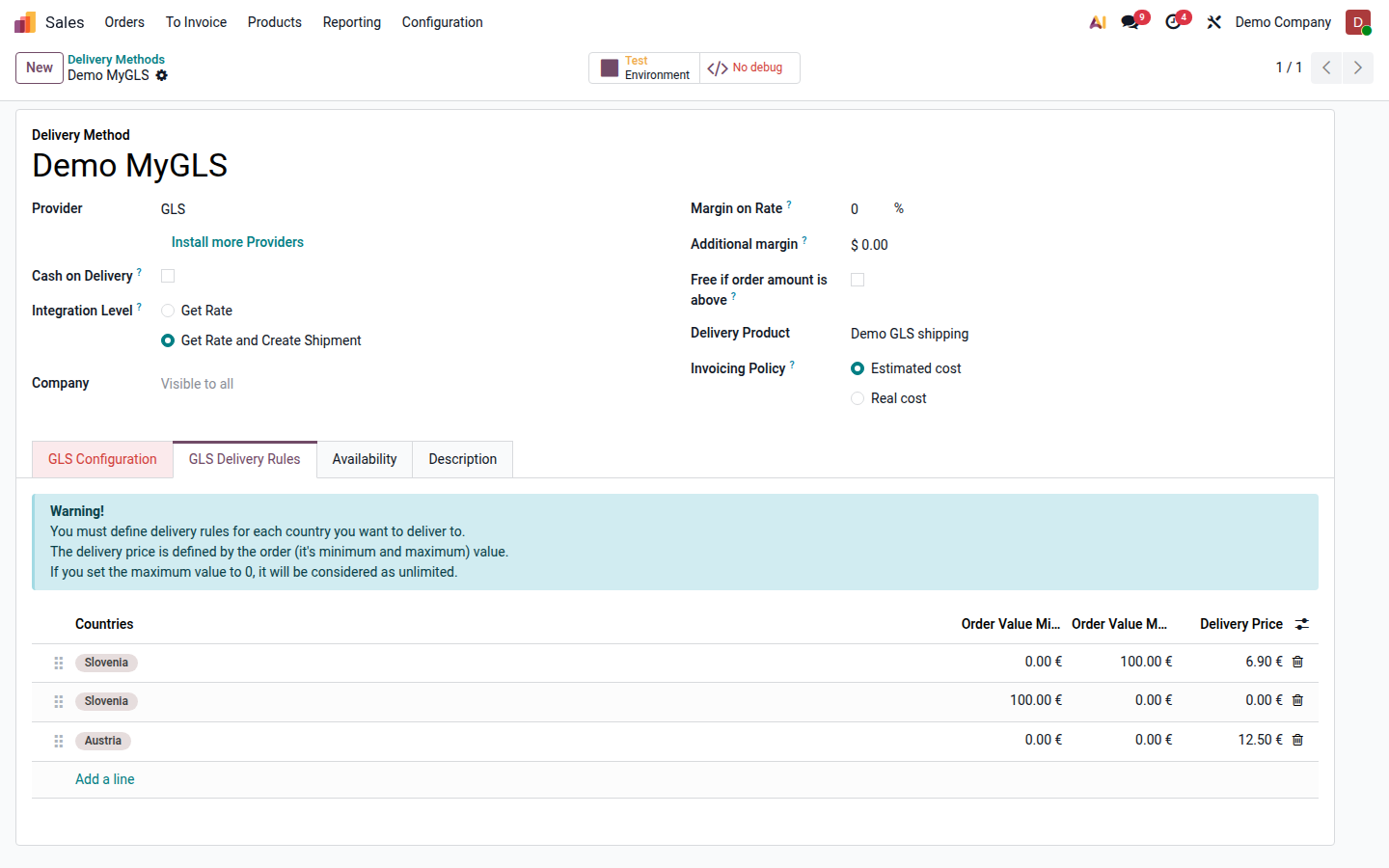
https://api.mygls.si/for production,https://api.test.mygls.si/for tests, and a tracking URL containing{code}. - Under GLS Delivery Rules, add the countries, minimum and maximum order value, and delivery price. A maximum of
0means unlimited.
Select services
Section titled “Select services”- FDS provides flexible delivery; FSS requires FDS and adds SMS.
- PSD enables ParcelShop or locker selection on the website.
- COD submits the cash-on-delivery amount.
- SRS creates a return label with the outbound label.
- Use INS, AOS, SAT, T09/T10/T12, and other services only when covered by your GLS agreement.
Send a parcel
Section titled “Send a parcel”On a confirmed delivery, check the recipient, telephone, email, package, and weight, then use Send to Shipper. Odoo stores the label and tracking numbers. Use the carrier cancellation action when cancelling so that GLS is updated as well.