

Check FURS invoice certification
Quick summary: A posted invoice can still be waiting for its FURS confirmation; check the certification fields before treating the process as complete.
Before you start
Section titled “Before you start”Your administrator must configure the company’s fiscal-certification certificate, business premise, device, and operator. Whether a particular outgoing invoice requires certification depends on the company, fiscal position, and payment setup. Ask accounting when the requirement is uncertain.
Check an invoice
Section titled “Check an invoice”-
Open the outgoing invoice and confirm that the customer, dates, and amounts are correct before posting it with Confirm.
-
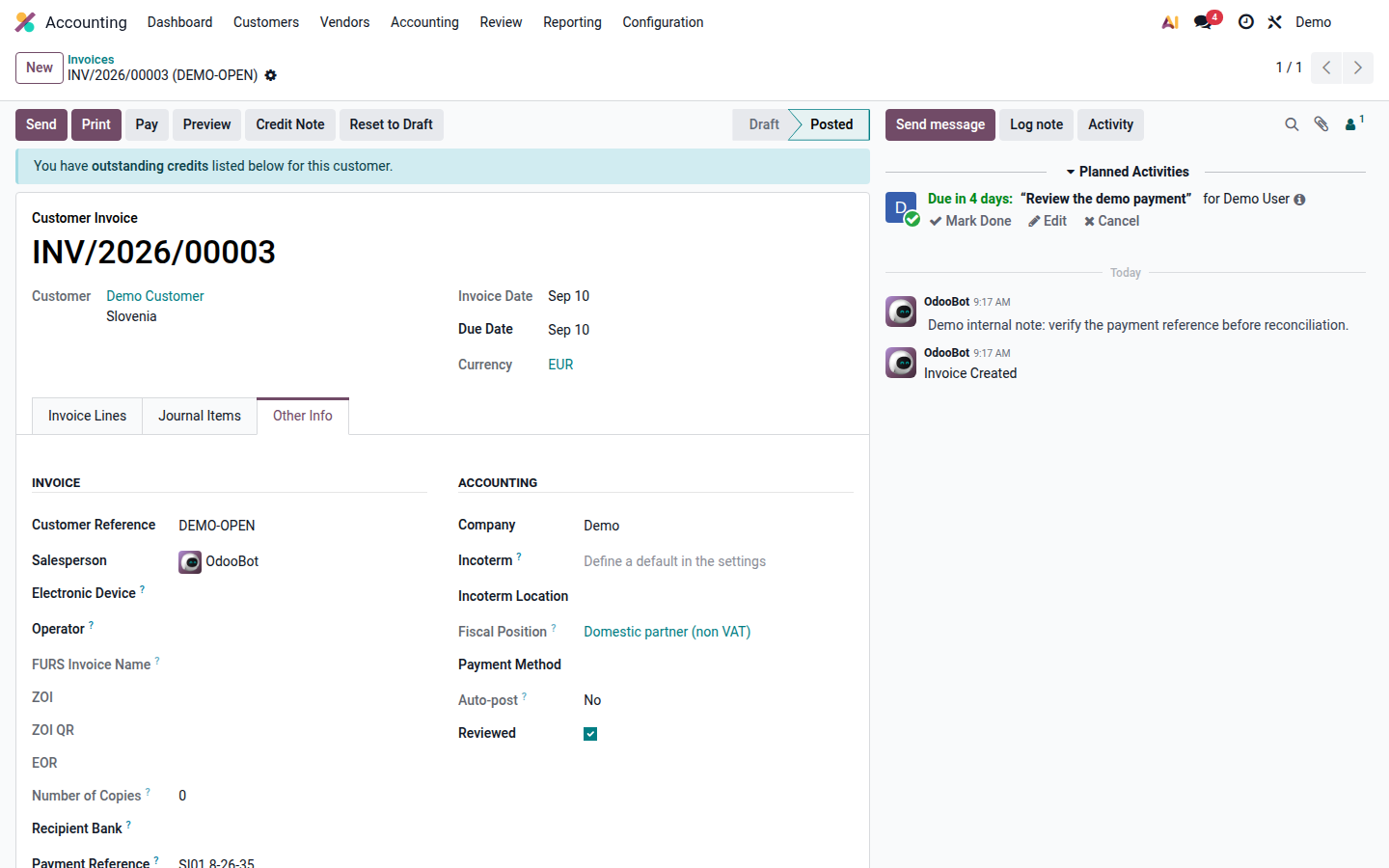
Review the FURS fields in the invoice’s additional information, including ZOI and EOR.
The example shows the location of the fields on a demo invoice with fiscal certification disabled; it is not a successful certification.
Open image at full size (new tab) -
If EOR is present, FURS has returned its confirmation. Check the final invoice document and normal sending status.
-
If ZOI is present but EOR is absent, the invoice may have been issued during a communication failure. Keep the same invoice and report persistent pending certification to the administrator; automatic retries can obtain the confirmation later.
-
If posting fails or the expected certification fields are missing, save the error text and ask the administrator to check the certificate, device, operator, and connection.
Sending and retries
Section titled “Sending and retries”In this implementation, ZOI is the fiscal prerequisite for automatic sending of an invoice that requires certification; an unavailable EOR alone does not prove that sending is blocked. Other sending checks still apply. Check the actual document and sending result rather than assuming “no EOR” means “not sent”.
The scheduled retry handles pending posted invoices and limits repeated attempts. Do not duplicate the invoice, repeatedly repost it, or change fiscal settings to bypass an error. A pending confirmation must remain visible until resolved, particularly before period closing.
Use a credit note and correction for an issued invoice that needs correction. Do not delete or cancel a FURS-confirmed invoice.