

Record and trace lots and serial numbers
Quick summary: Identify the exact batch or unit received, moved and delivered, then follow its movement history.
Before you start
Section titled “Before you start”The product must already be configured for lot or serial tracking and your user must have access to those details. A lot identifies a batch; a serial identifies one unit. Ask the product owner to handle tracking changes for products that already have stock rather than changing the tracking method during a receipt.
Record tracking during a movement
Section titled “Record tracking during a movement”- Open the receipt, delivery or internal transfer and the tracked product’s line details.
- On a receipt, enter or scan the actual supplier lot or individual serial numbers. Use an existing lot only when the operation type permits it and the goods belong to that lot.
- Split quantities into separate detail lines when several lots arrive. For serial tracking, associate each unit with its own serial. Ensure the detail total equals the actual quantity processed.
- On deliveries and internal transfers, select the existing lots or serials physically picked and their source locations. Check any automatically reserved selection against the labels on the goods.
- Save the details and validate the operation after the physical checks. If Odoo reports a missing identifier, correct the line rather than disabling tracking.
Trace a batch or unit
Section titled “Trace a batch or unit”-
Open Inventory > Products > Lots/Serial Numbers. Search for the identifier and verify the product and company, especially if suppliers reuse similar numbers.
-
Open the lot or serial and click Traceability.
-
Follow receipts, internal movements, production and deliveries to identify where the goods came from and where they went. Open the linked movements to inspect their dates, quantities and counterparties.
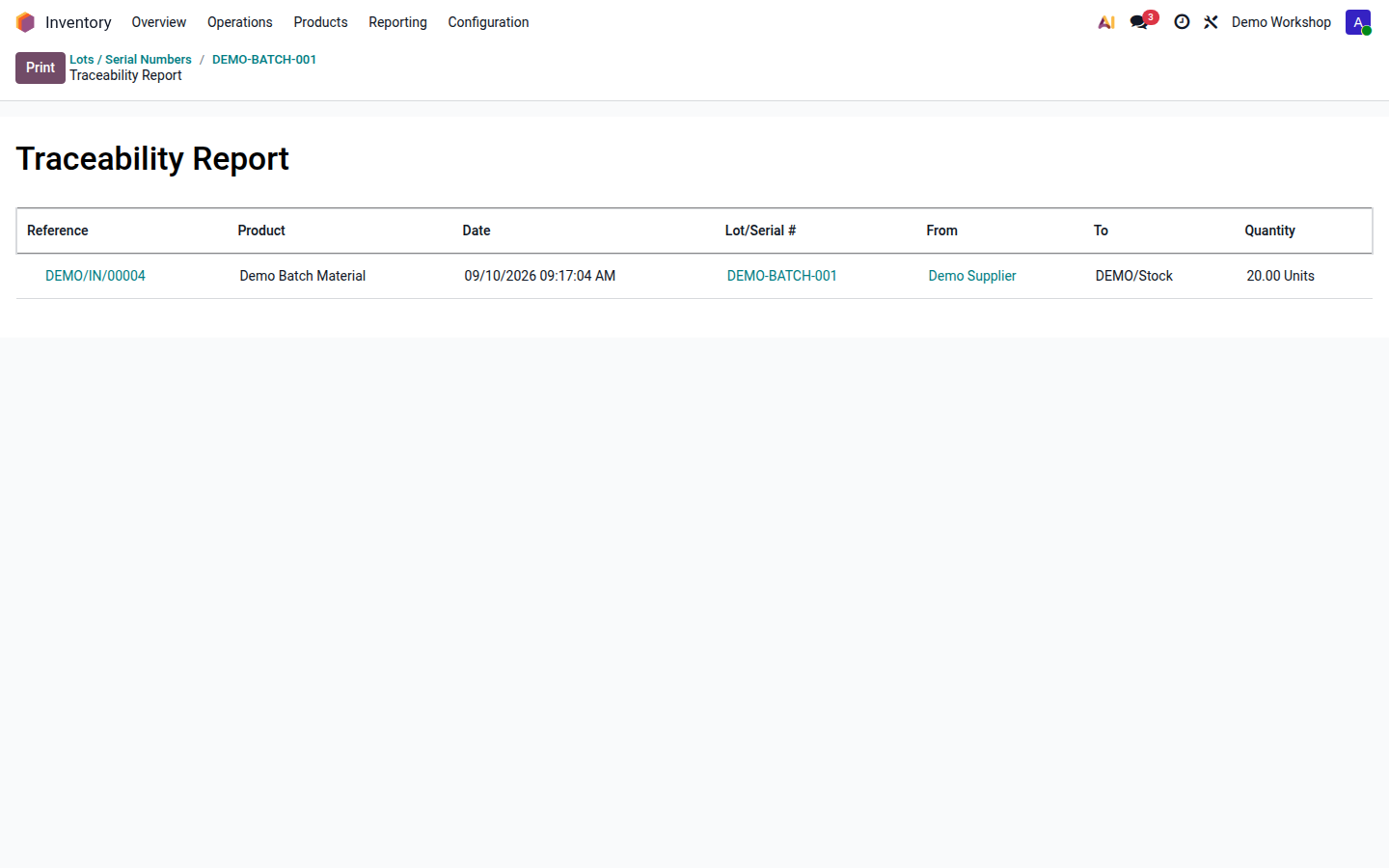
Open image at full size (new tab) -
For a recall or quality problem, pass the verified affected movements to the responsible colleague and stop dispatching the affected goods according to your quality procedure.
Result
Section titled “Result”Tracking connects a unit or batch to its recorded history. Creating a lot record alone does not add stock or assign it to goods; assignment happens on a movement or an approved inventory adjustment. Use the original tracking identifiers on returns to preserve this history.