

Deliver orders and manage backorders
Quick summary: Reserve available stock, record what leaves the warehouse, and track undelivered quantities.
Before you start
Section titled “Before you start”You need Inventory access and an existing delivery, normally generated by a confirmed sales order. Confirm the shipping address, warehouse, promised date and whether the customer accepts partial delivery.
Prepare and validate
Section titled “Prepare and validate”-
Open Inventory > Operations > Delivery Orders and select the delivery linked to the sales order.
-
Review availability. If the delivery is not reserved, use Check Availability when offered. Reservation allocates stock; it does not prove that items have been picked or shipped.
-
Follow the warehouse route. In a multistep warehouse, finish the preceding pick and pack operations before the final shipment. Check the source location on each operation.
-
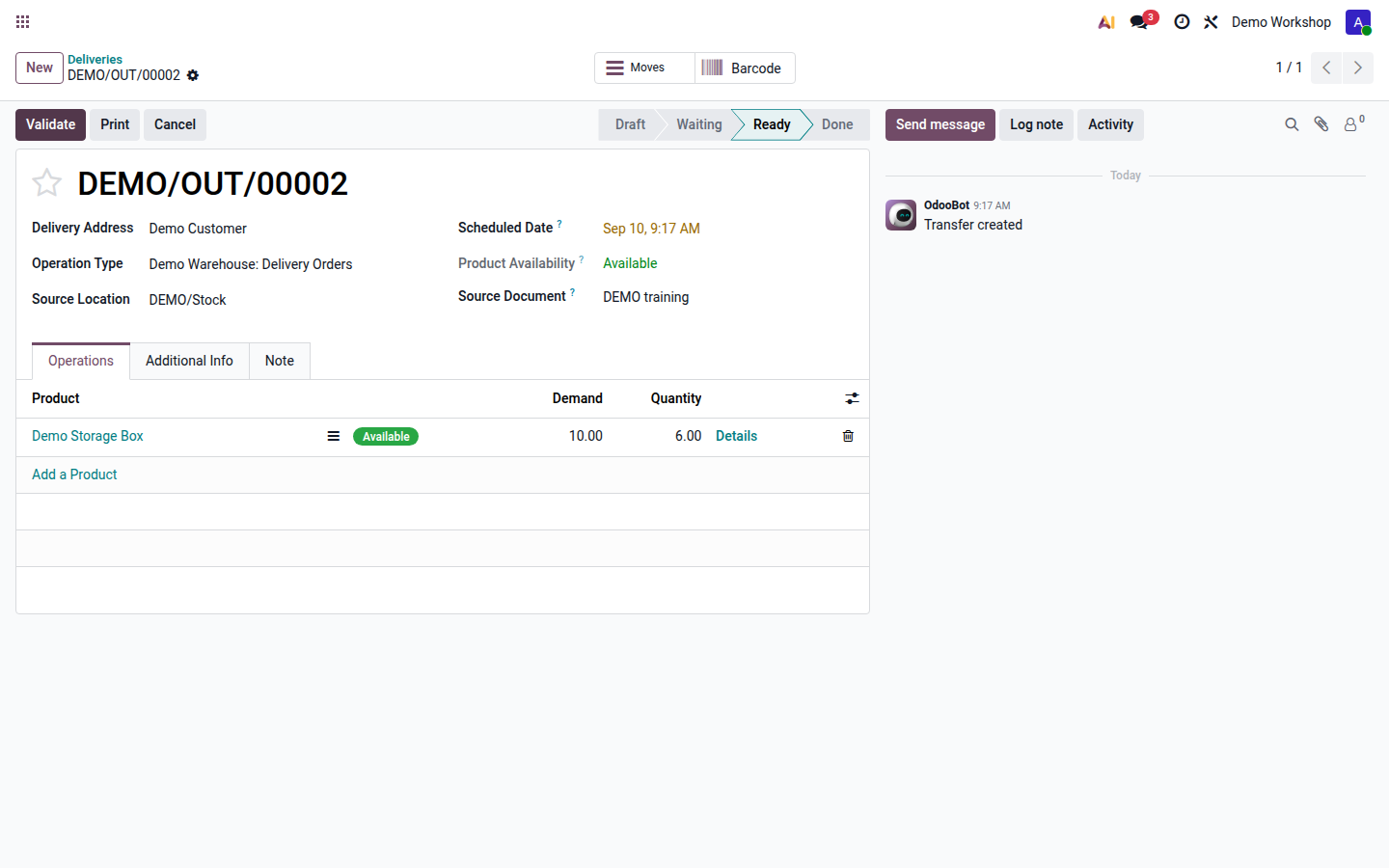
Pick the products physically. Review Quantity, unit of measure, locations, packages, lots and serial numbers against the goods. Set unshipped lines to zero and use line details for partial quantities.
Open image at full size (new tab) -
Check the delivery address and actual quantities again, then click Validate when this operation has physically occurred. The final delivery moves stock to the customer.
-
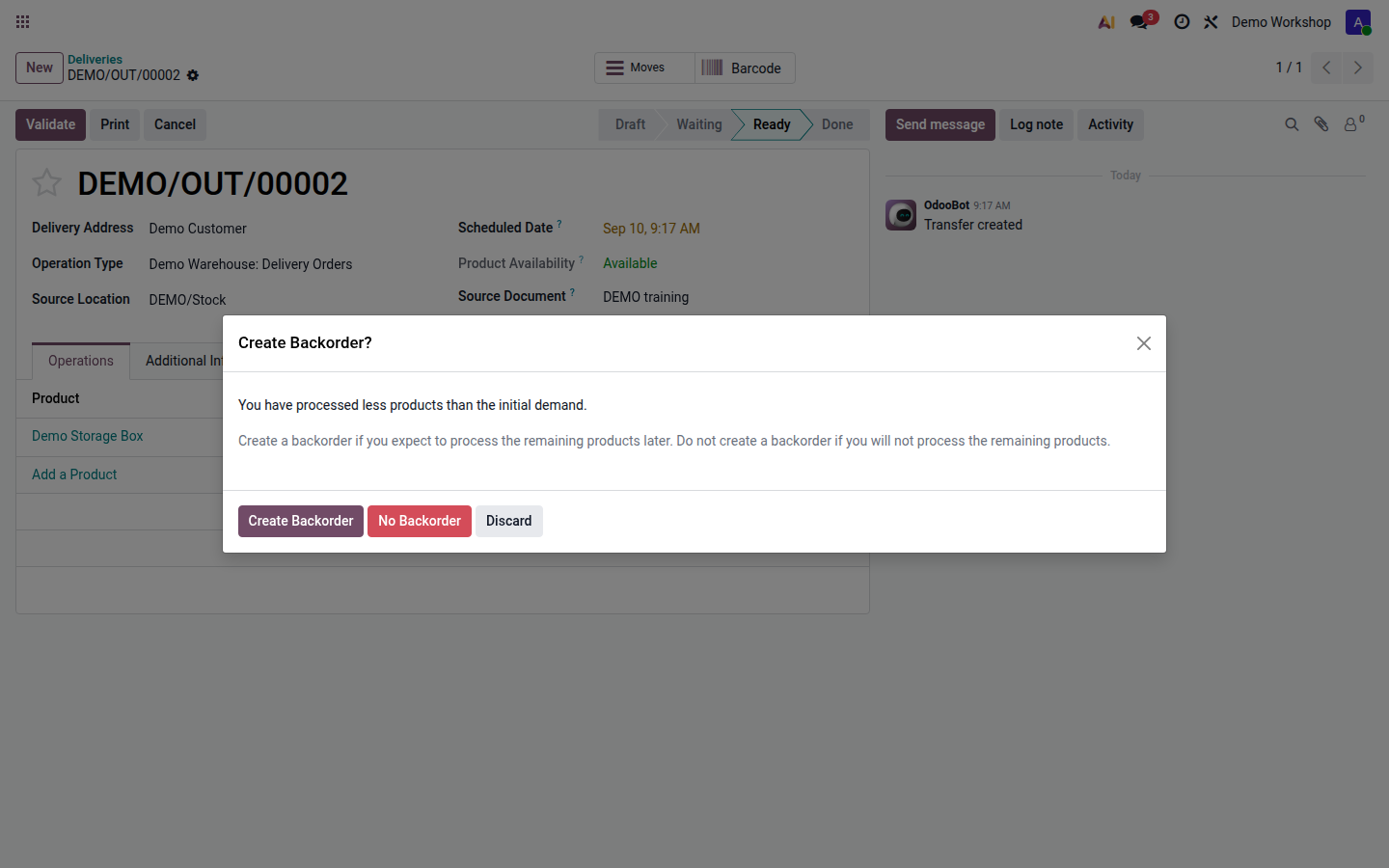
If asked, select Create Backorder for quantities still owed or No Backorder when the remainder is cancelled by agreement. Backorder policy can make this choice automatic.
Open image at full size (new tab)
Result
Section titled “Result”The completed delivery records shipped quantities; a retained backorder tracks the remainder. Confirm the delivered quantity on the sales order and give the customer the delivery document through your agreed dispatch process.
If stock is unavailable
Section titled “If stock is unavailable”Review the product forecast and expected receipts. Stock in another warehouse, location, lot or company may not be available for this delivery. Resolve the receipt, reservation or internal-transfer issue before validation. With Implex stock controls, a movement that would make an internal or transit location negative is blocked unless that location explicitly permits negative stock. Do not change that permission or invent stock to bypass the block.
For corrections use returns. For stock in another location use internal transfers; for shortages use replenishment.