

Review shortages and replenish stock
Quick summary: Use forecasted stock and replenishment proposals to order the quantities you still need.
Before you start
Section titled “Before you start”You need access to Inventory replenishment. Product routes and suppliers or bills of materials must already be configured by the responsible person. Agree who can order and who approves the resulting purchasing or manufacturing documents.
Review and order
Section titled “Review and order”-
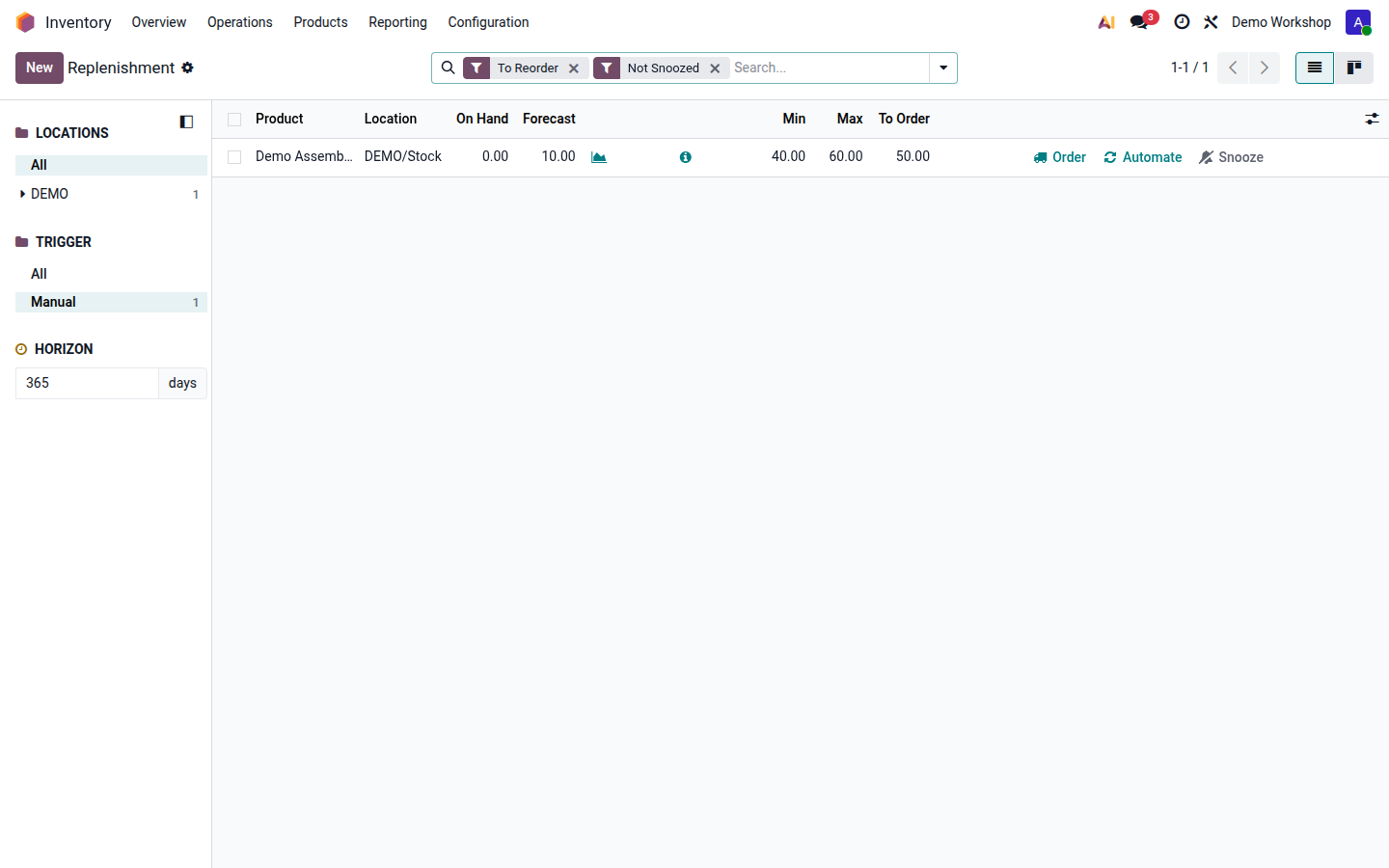
Open Inventory > Operations > Replenishment. Check the company and warehouse before acting on any line.
-
Open the product forecast from the line. Compare current stock, reserved demand, expected receipts and their dates. An expected receipt next month cannot cover a delivery due today.
-
Review the proposed quantity and the location. Check the replenishment route and supplier or manufacturing source. If Odoo reports a missing route, vendor or bill of materials, ask the product owner to complete it before ordering.
-
Adjust the quantity to order only when justified by the demand, packaging multiple or agreed stock target. Check whether a purchase or production order already covers the requirement.
Open image at full size (new tab) -
Click Order for the reviewed requirement. Inspect the generated or updated request for quotation, manufacturing order or transfer. Follow that document’s approval and confirmation process; replenishment does not mean goods are already received.
-
Recheck the forecast and promised dates. Follow the resulting receipt or production until stock becomes available for the original demand.
Manual and automatic rules
Section titled “Manual and automatic rules”A manual rule proposes replenishment for review. An automatic rule can trigger procurement when forecasted stock falls below its minimum, aiming for its maximum and respecting configured multiples. Do not enable automatic ordering as a one-off response to a shortage; it changes future behavior too.
If a required item is absent, review the report filters and replenishment horizon with the planner. Use the product’s replenishment action for an approved exceptional need rather than creating duplicate rules. Continue with receipts or manufacturing.