

Request and approve time off
Quick summary: Request time off and check the final approval status before treating the absence as approved.
Submit your request
Section titled “Submit your request”-
Open Time Off and create a new request from your dashboard or your own time-off list.
-
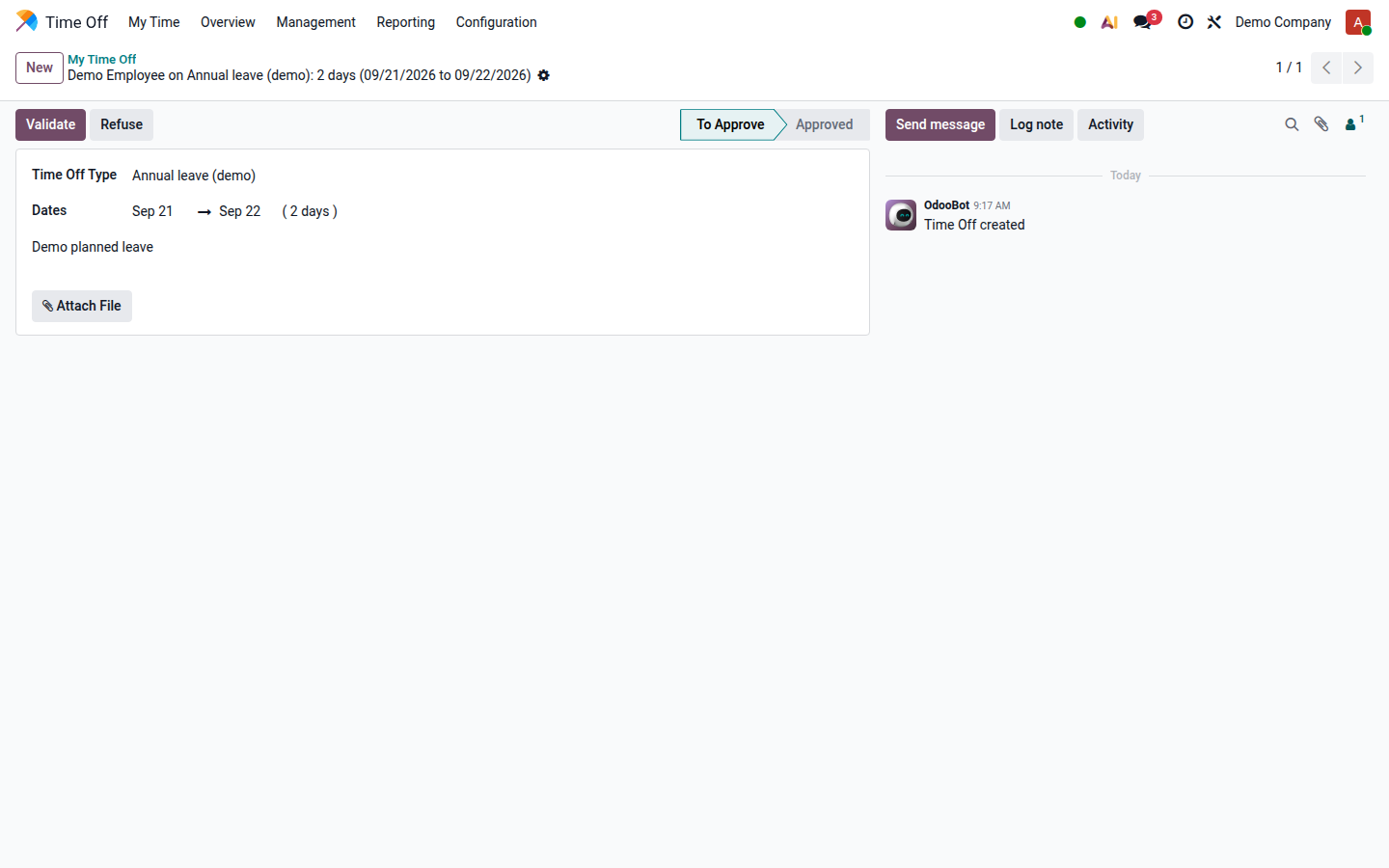
Choose Time Off Type and the start and end dates. For hourly or half-day types, check the displayed hours or day period rather than assuming a full day.
-
Review the calculated duration and available balance. Add the description and any required supporting document.
-
Submit the dashboard request; a saved request in your own time-off list follows the type’s approval workflow. Verify that it appears in your list with the intended dates.
-
Check the resulting status. Some types are approved automatically; others need one or two approvals. A pending request is not an approval.
Open image at full size (new tab)
Request through the attendance kiosk
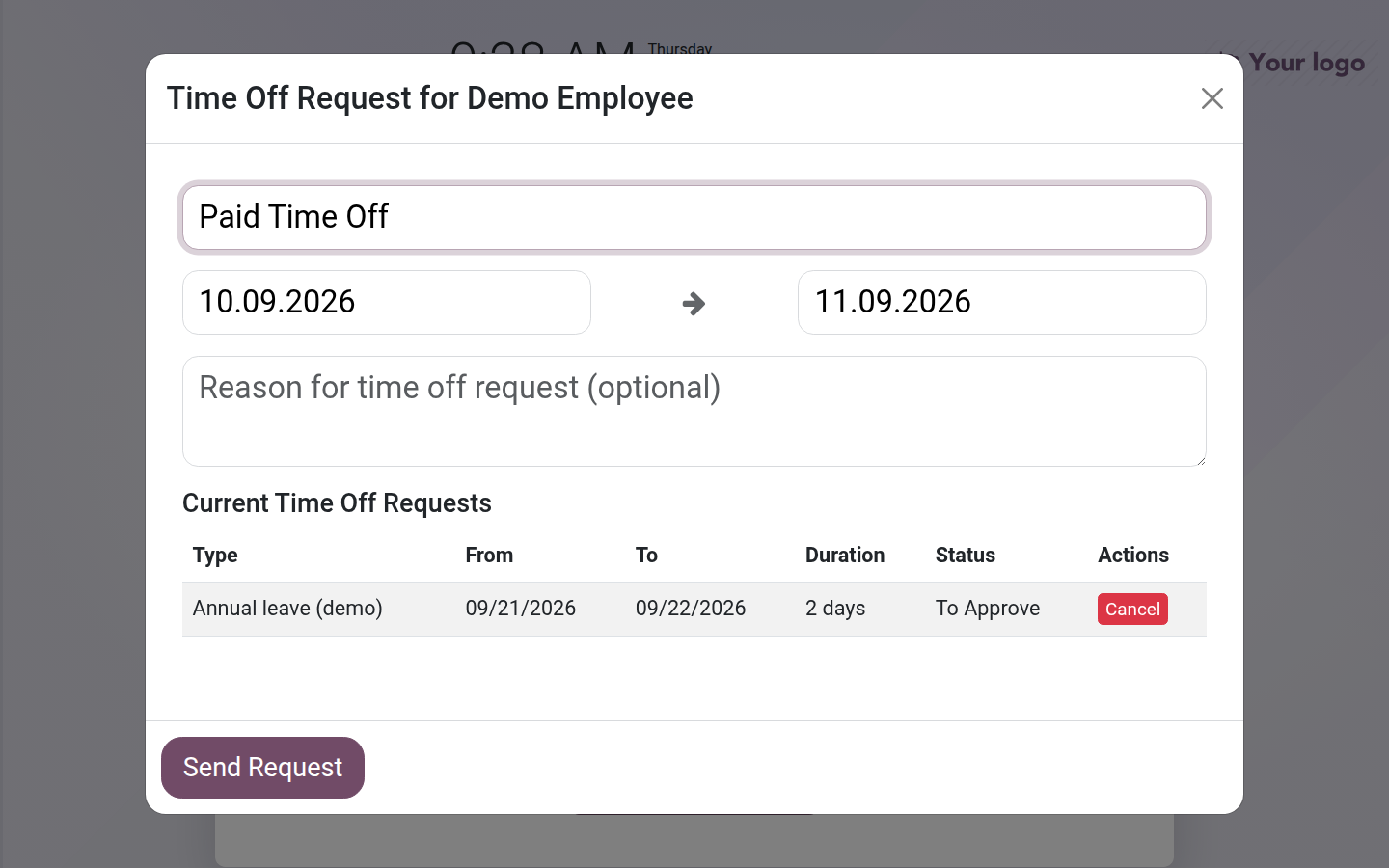
Section titled “Request through the attendance kiosk”If enabled, identify yourself, open Info, then Manage Time Off Requests. Select the type and date range, add the reason and submit. The dialog lists existing requests and permits cancellation of pending requests. Only types enabled for the kiosk appear; use the full application or contact HR for another type or a request requiring details unavailable in the dialog.
Review a request as an approver
Section titled “Review a request as an approver”- Open the time-off approval list and the request within your responsibility.
- Check dates, duration, balance, team coverage and required evidence. Ask for missing information before deciding.
- Use Approve, or Validate for the remaining approval step, if the request is acceptable. Use Refuse if it cannot be accepted and communicate the reason.
- Check the final status. A second approval may still be required after the first action.
Result and common problems
Section titled “Result and common problems”An approved request reserves the absence in the employee’s time-off schedule. If plans change, use the available cancellation action and verify the new status; if cancellation is unavailable, ask the approver to handle the change.
An overlap or insufficient balance must be resolved with HR. Do not choose another leave type merely to bypass the check. Allocation creation and changing which types allow overlap are HR responsibilities.