

Identify yourself and record work in Shop Floor
Quick summary: Start and stop your own work-order time, follow operation instructions, and hand completion to the authorized person.
Before you start
Section titled “Before you start”You need Manufacturing with Shop Floor, prepared work orders and your own employee identity. The employee selection, work-center and completion restrictions described below require Implex MRP Workorder. Attendance-triggered stopping additionally requires ISE HR Attendance MRP.
Work on your operation
Section titled “Work on your operation”-
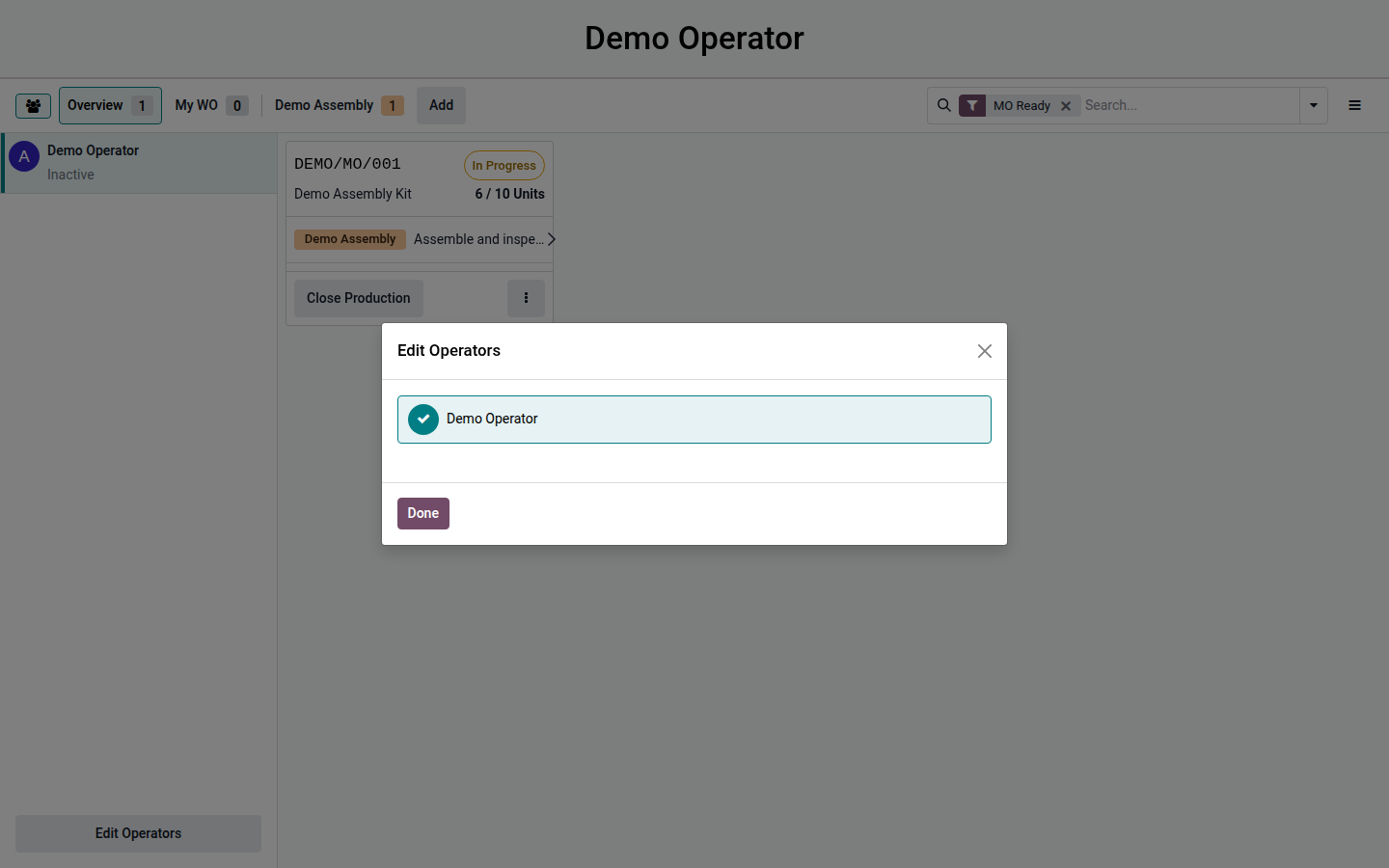
Open Shop Floor and select your own employee in the operator panel or scan your employee badge where badge login is configured. Check the selected name before any action; do not work under the preceding operator’s identity.
Open image at full size (new tab) -
Select your work center and the correct production/work-order card. Depending on configuration, cards are hidden until employee selection or remain visible but read-only. Existing work centers remain selectable; adding them requires an appropriately authorized selected employee.
-
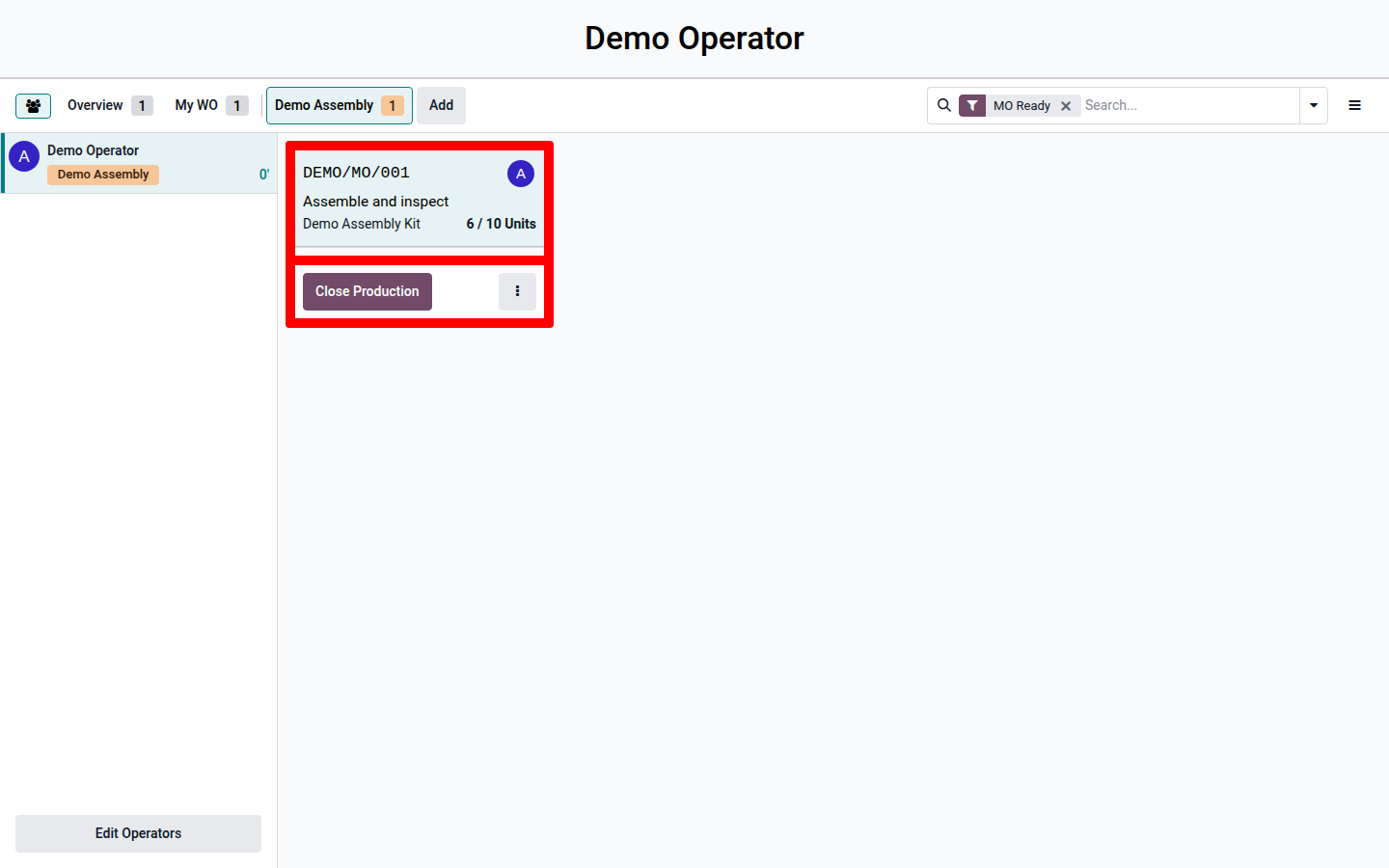
Check the product, quantity and operation instructions. Start your work-order timer when you actually begin. Verify that the running work is listed under your employee identity.
Open image at full size (new tab) -
Complete the displayed operation steps and any required quality checks. Record actual quantities and tracking details when requested. If you interrupt work, stop your own timer and verify it has stopped before switching tasks.
-
Review quantities and timing before finishing. Use Mark as Done for a completed operation or Close Production for final production completion only if you are authorized. In the Implex setup, the selected employee must be linked to a user with Manufacturing access; a shared workstation’s login is not enough.
-
Check that the operation completed and the next operation or production result is correct. If authorization blocks completion, hand it to the responsible manufacturing user rather than selecting somebody else’s identity.
Several workers and breaks
Section titled “Several workers and breaks”Several employees may work on one order; selecting yourself ensures your own time is started or stopped. Working on several orders simultaneously depends on the global manufacturing setting. Do not create parallel timers merely to bypass a restriction.
Where attendance integration is installed, a normal manual or automatic attendance check-out stops the employee’s active manufacturing work orders. An attendance break does not stop them. If work should stop during a break, explicitly stop the work-order timer as well. Verify timers at the end of the shift rather than assuming employee deselection stopped them.
Result and corrections
Section titled “Result and corrections”The operation has actual time recorded against the correct employee. Manufacturing completion also posts production quantities and consumption, so it requires the production-order checks. Report missing or incorrect time to the person authorized to maintain production time logs; changing the planned duration is not a correction of actual time.