

Import bank transactions and reconcile payments
Quick summary: Import each bank transaction once, match the correct obligation, and inspect any remaining difference.
Import the statement
Section titled “Import the statement”Use the configured bank journal and an import format your installation supports. If automatic synchronization already imported the period, do not import it again.
-
On the Accounting dashboard, open the relevant bank journal. Check the company and bank account.
-
Use the journal’s import action to upload the statement file. Review the detected account, dates, and transactions before completing the import.
-
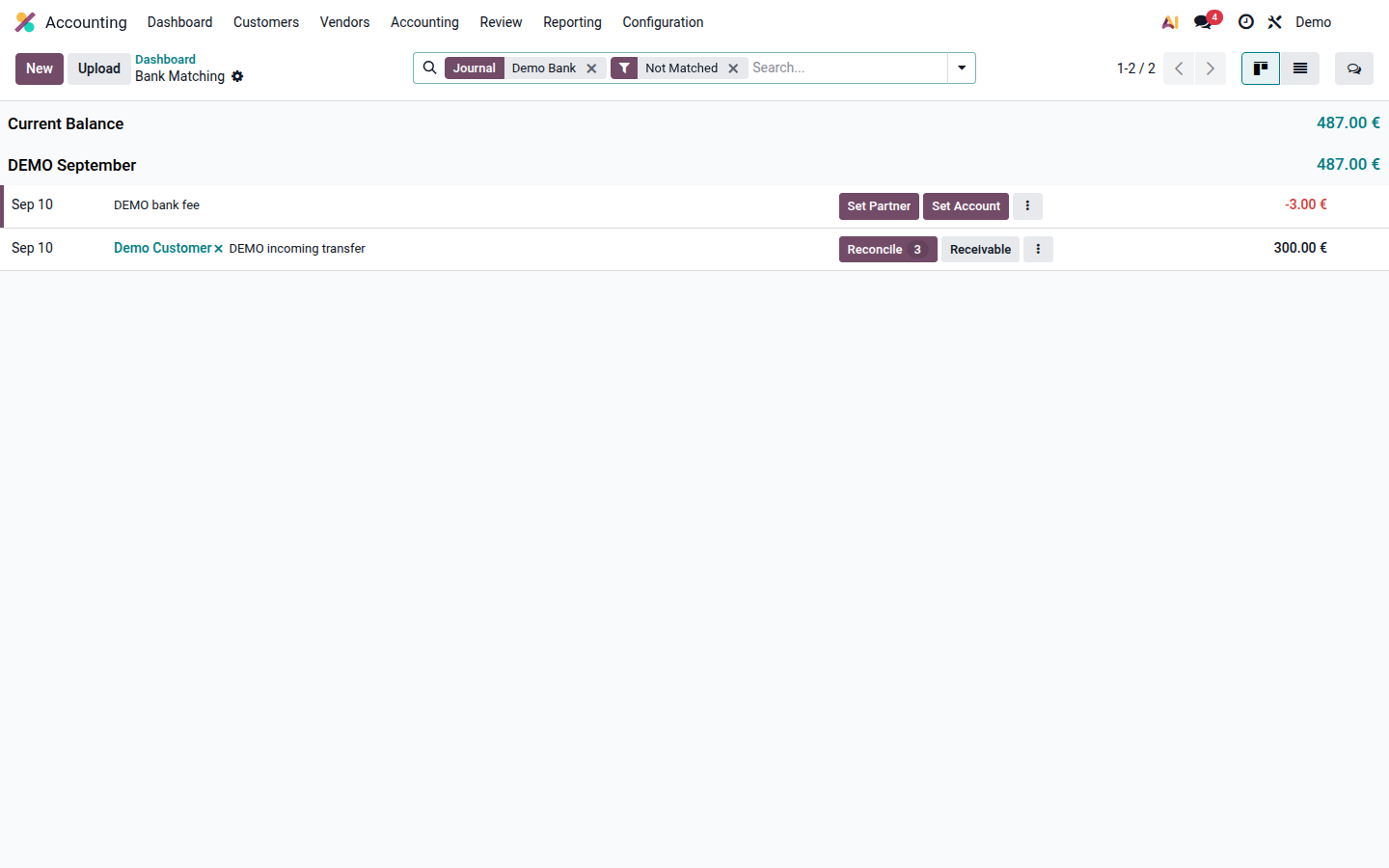
Compare the imported period and balances with the bank statement. Investigate gaps or duplicates before reconciliation; bank transactions already affect accounting.
-
Open Transactions or the journal’s unreconciled transactions to enter Bank Matching.
Open image at full size (new tab)
Choose the correct counterpart
Section titled “Choose the correct counterpart”This aid distinguishes an existing payment, an unpaid invoice, and a genuine expense. The same choices are explained below.
Next step
Match the recorded payment
Use the existing payment counterpart; do not create a second payment.
Next step
Match the invoice or bill
Check the partner and reference, then select the open item.
Next step
Use the approved expense account
Record only the verified expense amount and any applicable tax.
Next step
Leave the difference unresolved
Ask accounting to identify the transaction before assigning an account or writing it off.
Match and check
Section titled “Match and check”-
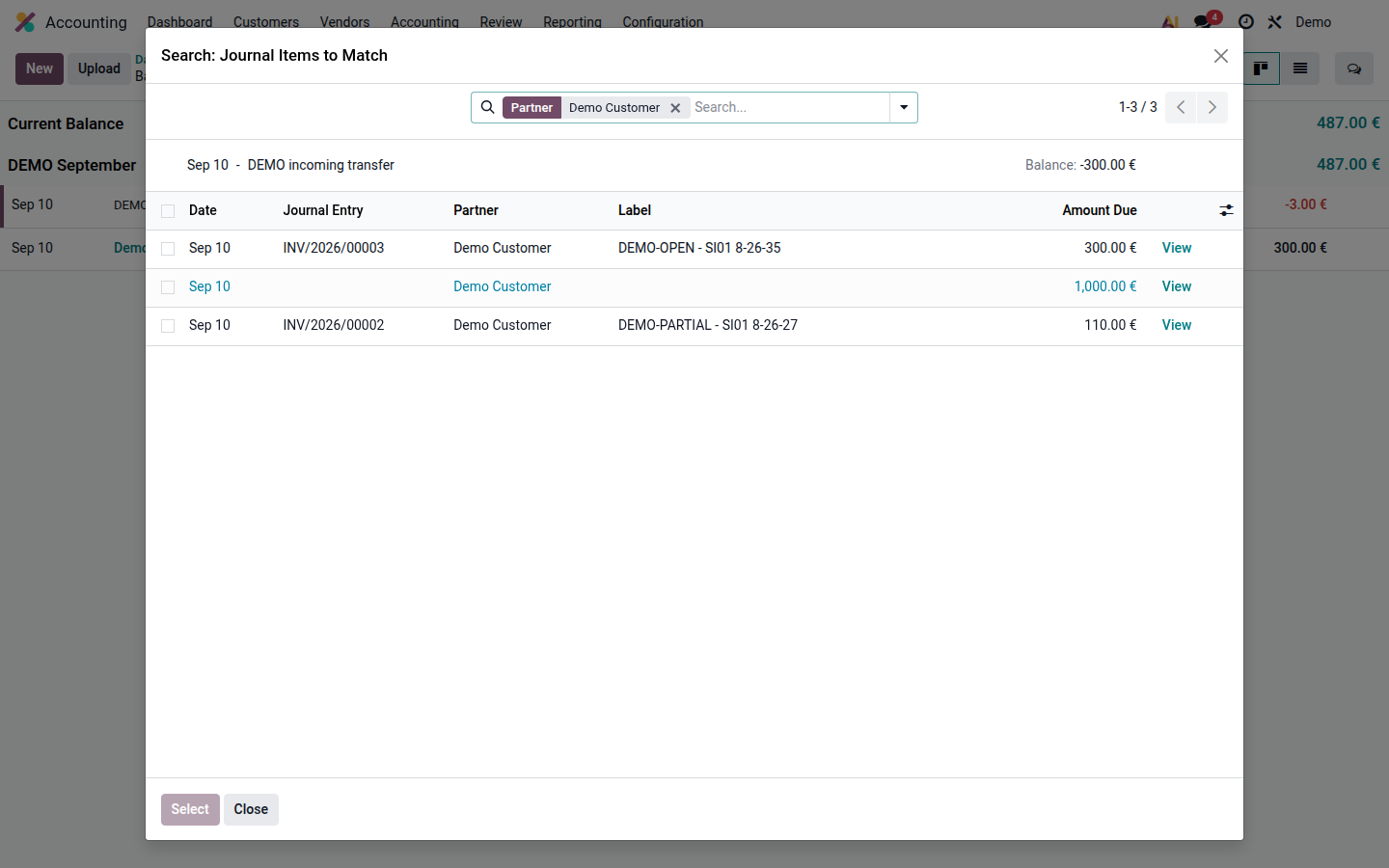
Expand the transaction and check its partner, reference, date, amount, and currency.
-
Click Reconcile, select the existing payment or invoice items, and click Select. If you already registered a payment, match that payment instead of creating another.
Open image at full size (new tab) -
For a verified bank fee with no invoice counterpart, use Set Account or an approved reconciliation model. Account only for the actual fee.
-
Review the remaining balance. An underpayment normally leaves part of the invoice open; an overpayment leaves an amount to allocate. Do not mark a short payment fully paid or write off a difference without authorization.
-
Open the invoice and check the payment status and residual amount. Check that the bank transaction is fully matched when all parts have been allocated.
For example, a €103 debit may settle a €100 bill and a €3 bank fee. A €90 receipt against a €100 invoice normally leaves €10 due. These are different cases even though both involve a difference.
For a wrong match, ask an authorized accountant to remove the incorrect counterpart and rematch it in an open period. Do not delete the imported transaction to hide the error.
If an incoming transaction belongs to a sales order that has not yet been invoiced, set the partner and use the Sales suggestion. See sales orders in bank reconciliation.